Learn how to run an AI agent on a VPS with a practical deployment workflow. This guide covers Ubuntu setup, Docker installation, environment variables, persistent storage, automatic restarts, monitoring, and essential security steps for keeping your AI agent online.
Run AI Agent on VPSAI Agent DeploymentAI Agent HostingVPS SetupDockerUbuntu ServerAI AutomationSelf-Hosted AIVPS HostingLinux Server
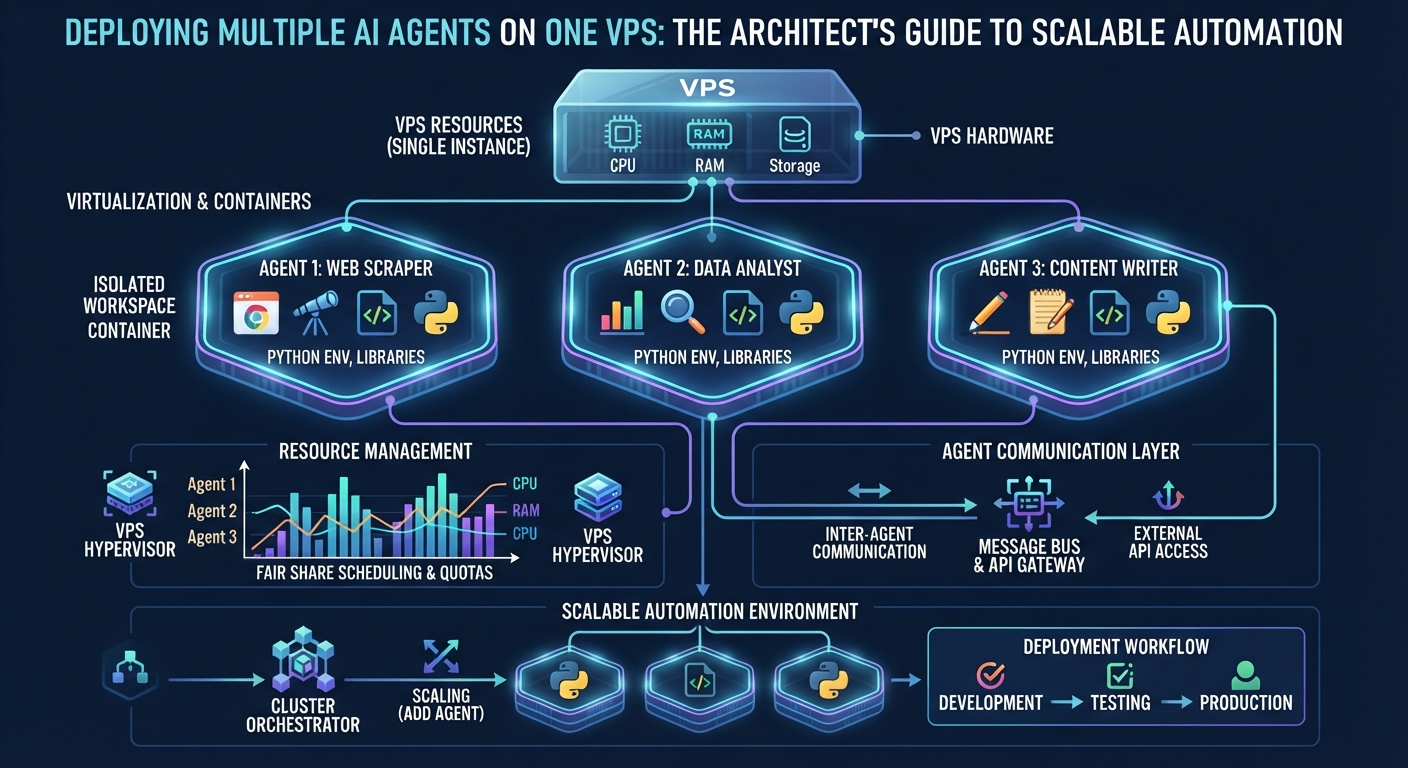
Want to run multiple AI agents without paying for separate servers? Learn how to host multiple AI agents on one VPS, organize independent workspaces, manage resources, configure agent communication, and build a scalable multi-agent automation environment.
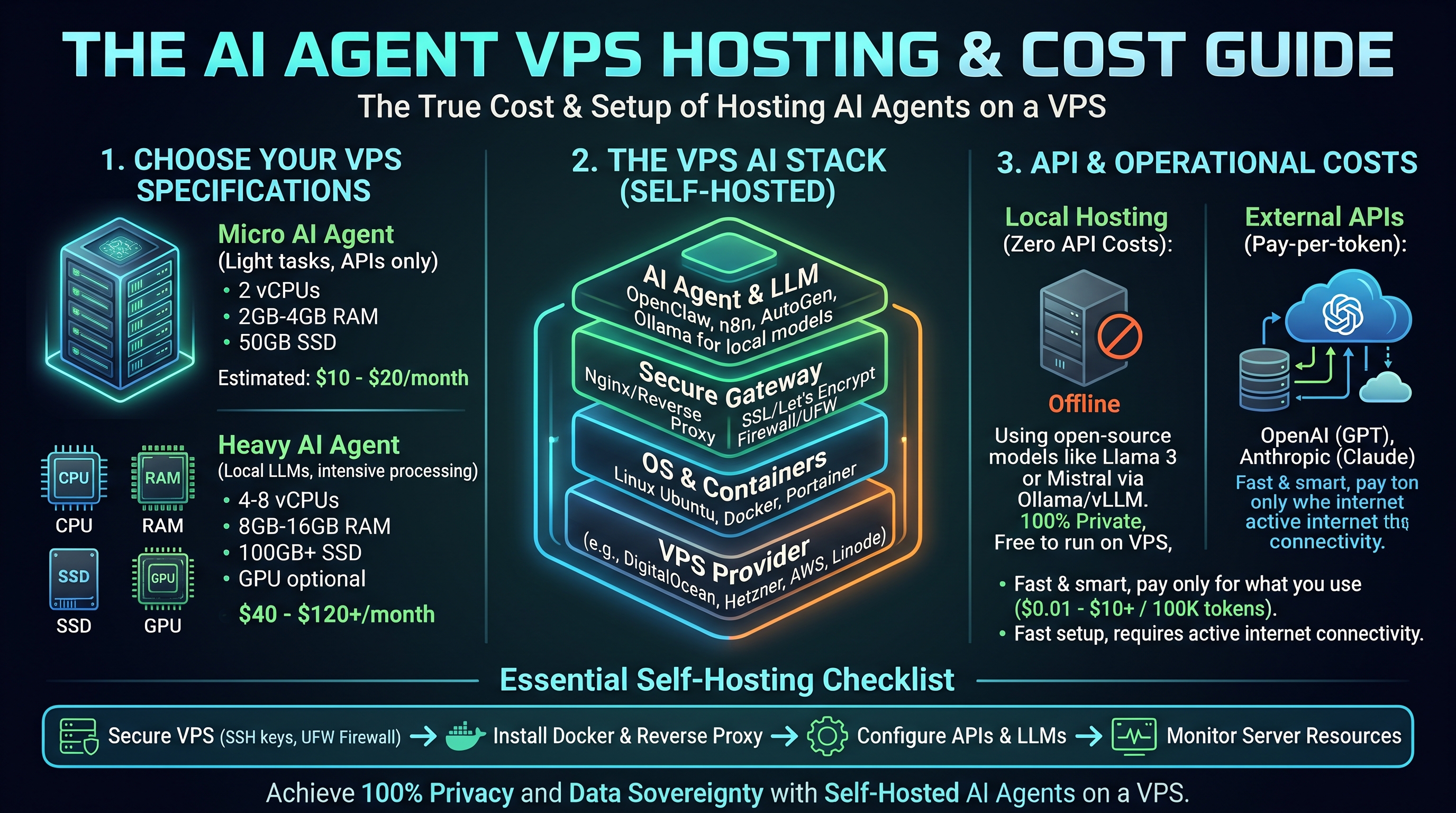
How much does it really cost to run an AI agent on a VPS? Discover the main expenses, including server hosting, AI API usage, memory, storage, and automation tools. Compare hosting options and learn how to build a cost-effective AI agent environment in 2026.
AI Agent HostingAI Agent CostVPS HostingAI VPSAI AutomationAI API PricingCloud ComputingPrivate AI HostingAI InfrastructureAI Server
Learn how to host n8n on a VPS and build powerful AI automation workflows that run 24/7. Discover how to connect applications, integrate AI models, configure webhooks, manage workflows, and create reliable automation systems using your own cloud server.
Running an AI agent on a VPS gives you flexibility, control, and 24/7 availability. But giving an AI agent access to tools, files, APIs, and server commands introduces security risks. Discover 10 practical steps to protect your AI agent, secure your VPS, and build a safer automation environment.
AI Agent SecurityVPS SecurityAI Agent VPSAI HostingCybersecurityPrompt InjectionDocker Security
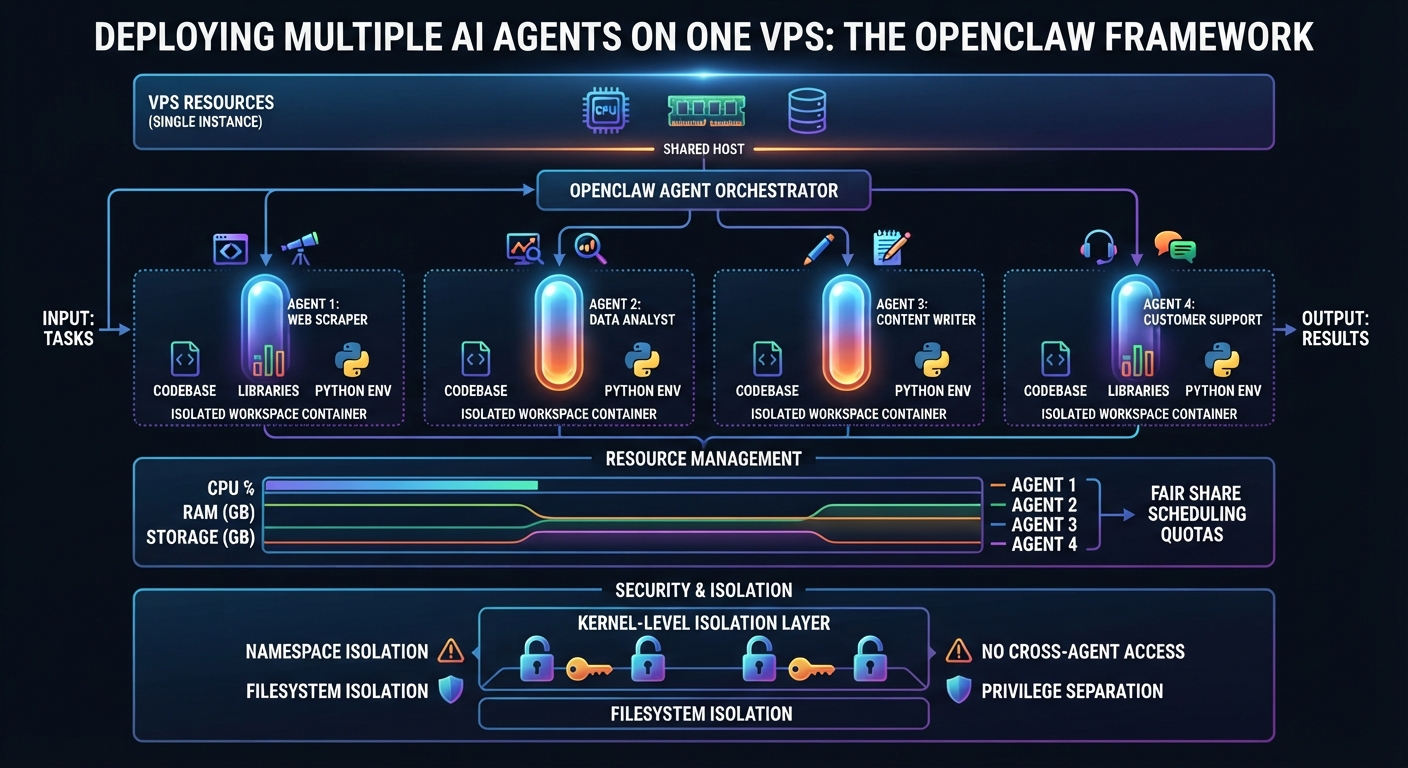
Learn how to run multiple AI agents on one VPS. Discover multi-agent architecture, OpenClaw configuration, server requirements, resource management, and security best practices for building your own AI agent infrastructure.
AI AgentsMulti-Agent SystemsVPSOpenClawAI HostingServer ManagementAI AutomationTutorial